Local-first job search
Put the AI you already pay for to work.
Jobwright finds roles and prepares truthful applications. You decide what gets submitted.
AI can make mistakes. Check your facts and campaign rules.
Keep your agent.
Add a job-search system.
Jobwright gives your agent the records, workflow, browser, and evidence it needs to run a measurable search.
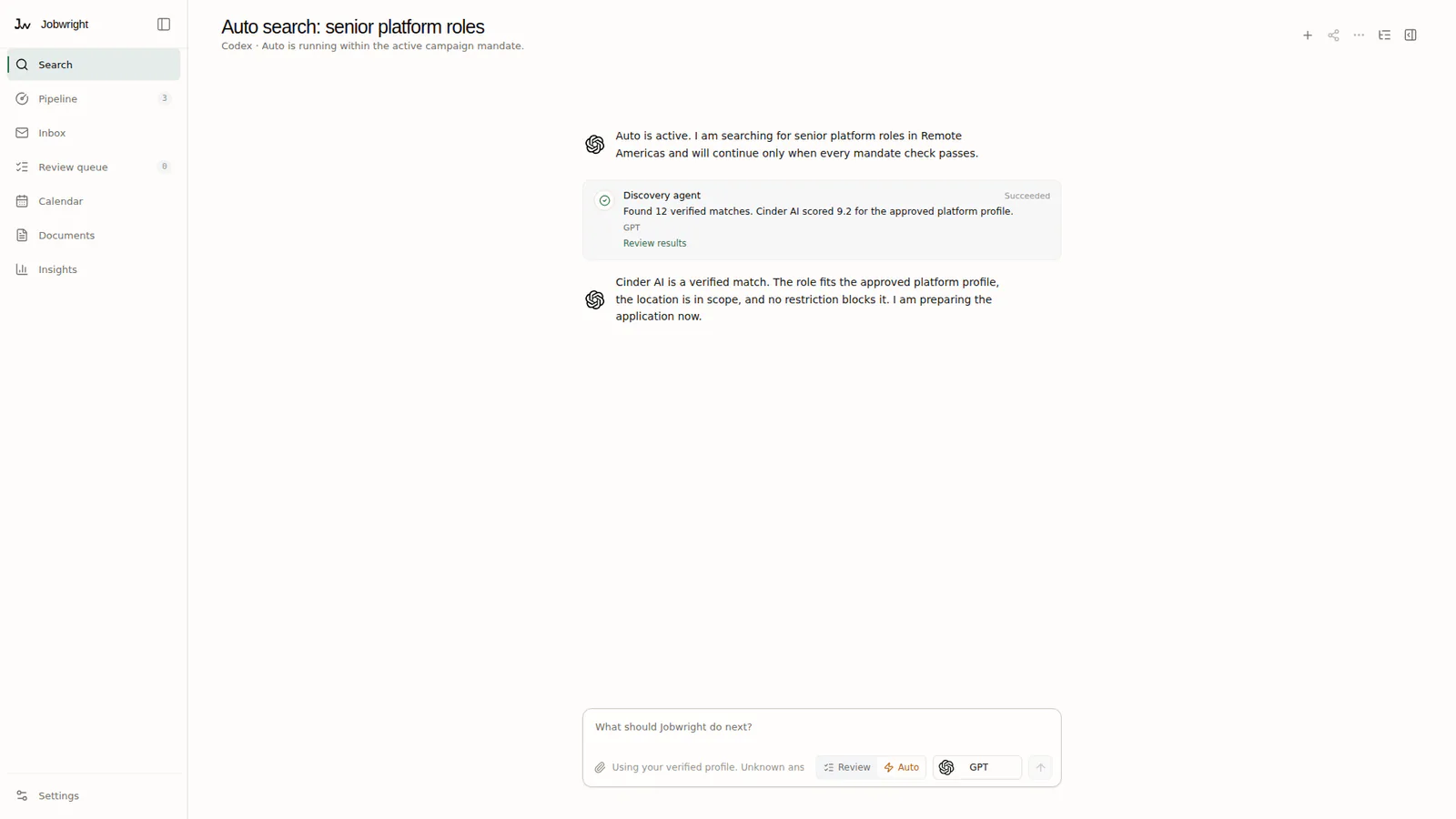
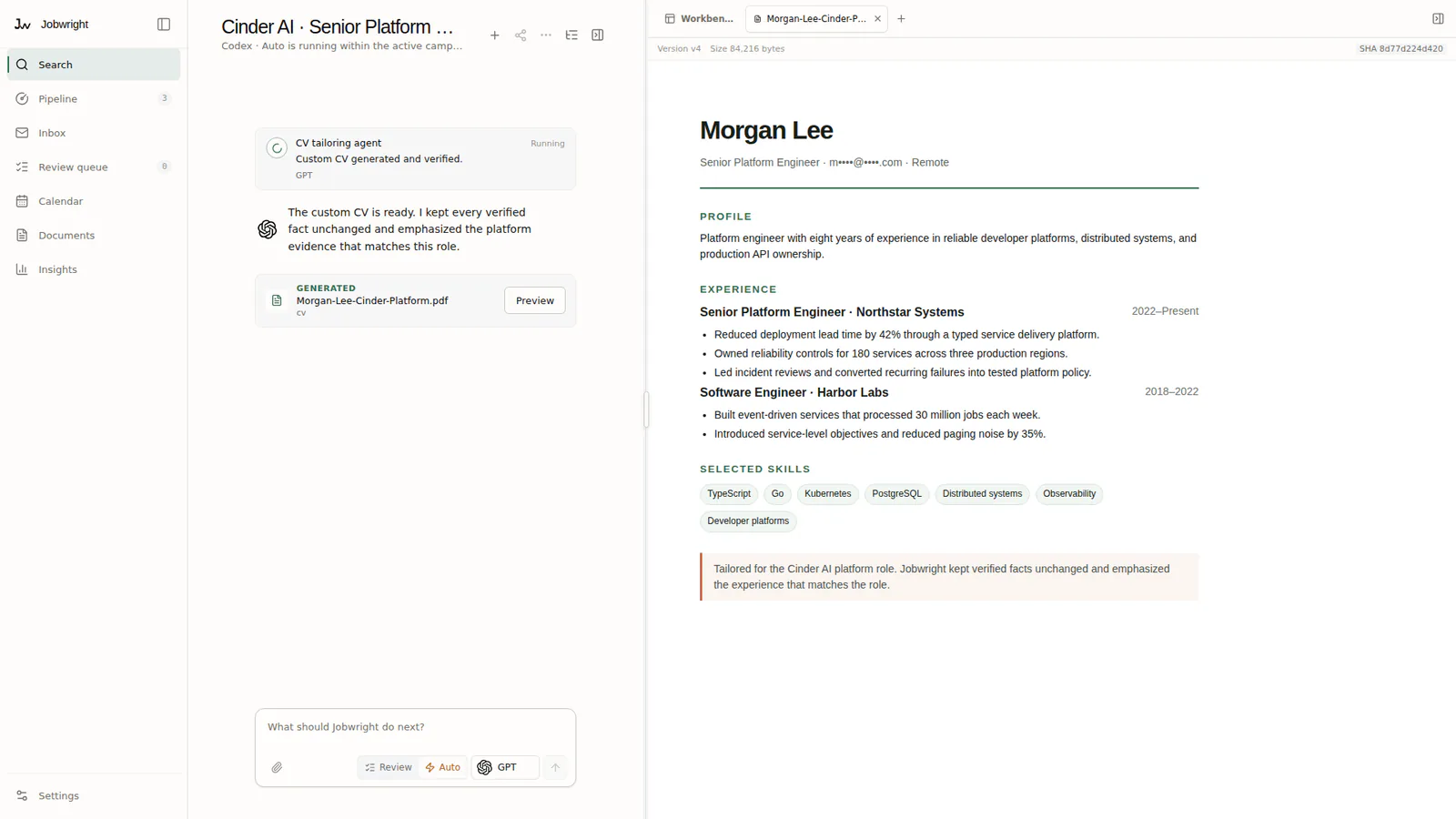
Prepare the application.
Keep the facts.
Every suggested change points back to verified candidate facts and the exact role. Each submitted document keeps its evidence.
Choose how
applications submit.
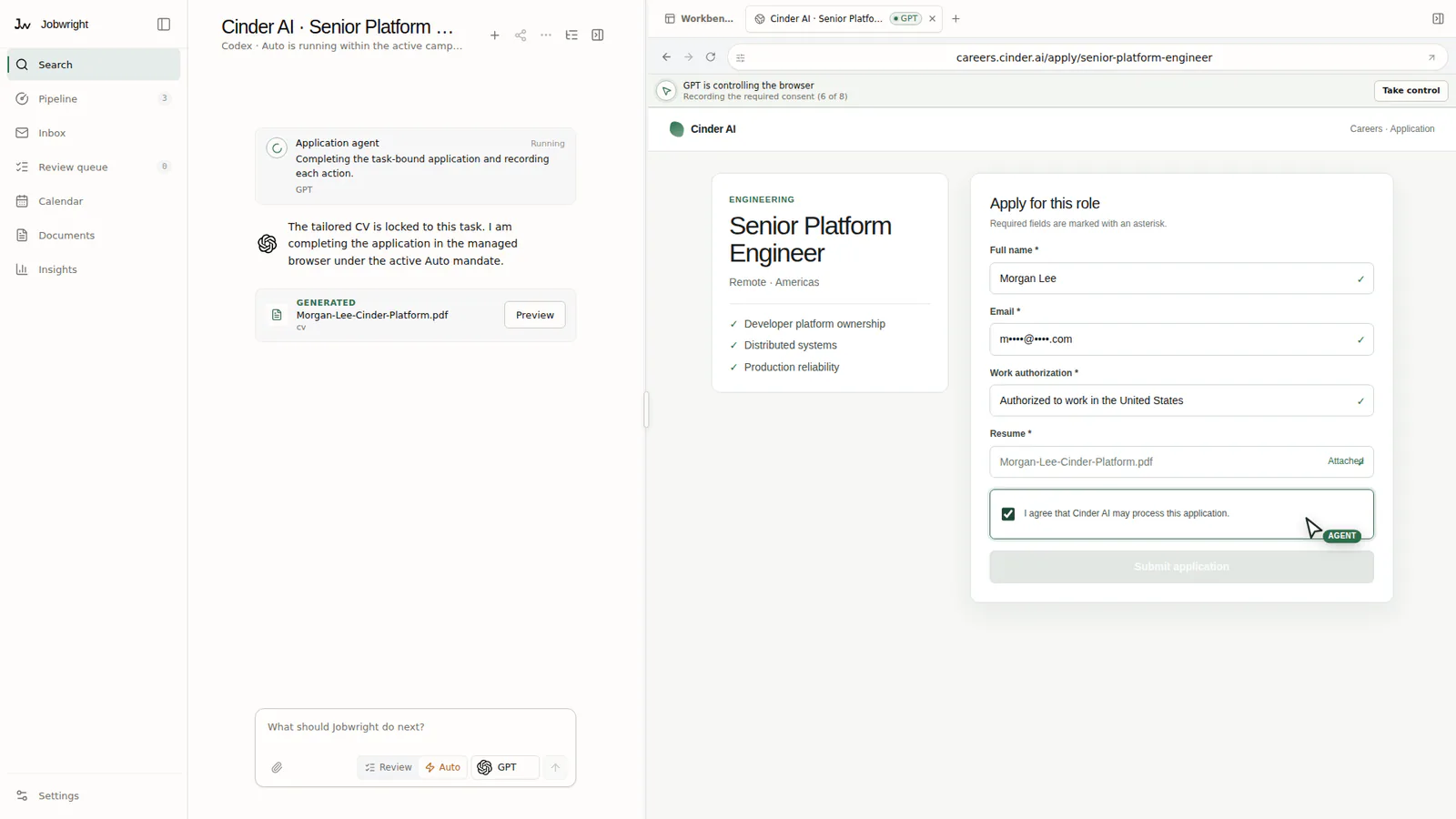
Review mode waits for you before each submission. Search & Apply can submit a matching application under the campaign limits you accepted.
Your candidate data
stays on your device.
Candidate records, documents, answers, and evidence stay local. Any product, crash, or diagnostic analytics follow the published privacy notice and exclude candidate content.
Read the privacy model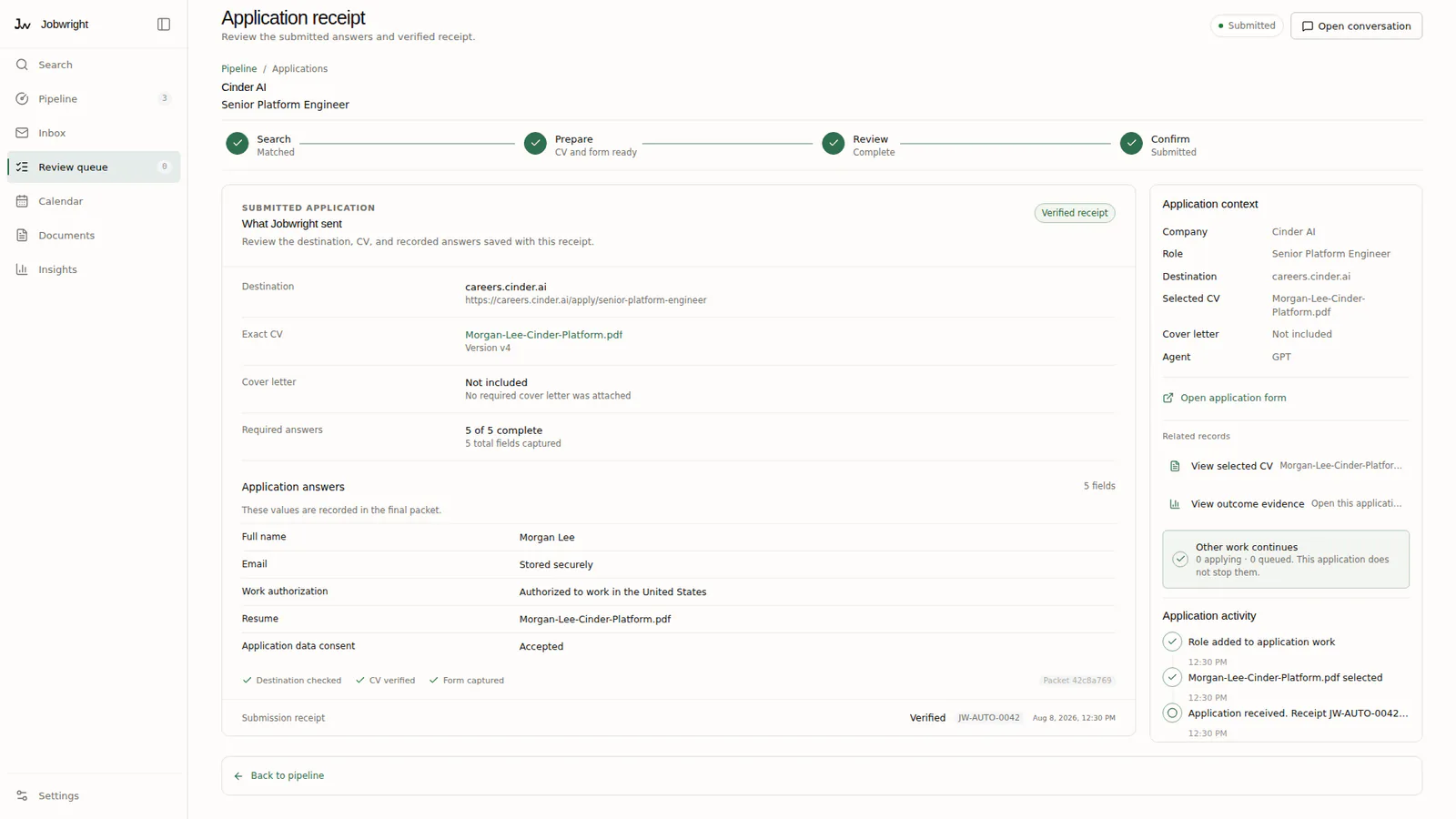
FAQ
Questions you should ask before you download.
Short answers. No hidden automation claims.
What does Jobwright do?
Jobwright is a desktop control room for a job search. It keeps role records, candidate facts, documents, progress, and review tasks together. It can use your chosen AI agent to find roles and prepare work for your review.
Do I need another AI subscription?
No. Jobwright uses a supported agent that you already installed and signed in to. It supports Claude, ChatGPT, Gemini, DeepSeek, Kimi, GLM, OpenCode, and Cursor. Some providers connect through OpenCode. Provider charges and account rules still apply.
When can I buy Jobwright?
Checkout opens after the stable release is ready. Follow the release updates for availability and pricing.
Will Jobwright submit an application without me?
Only if you enable Search & Apply and accept a bounded campaign mandate. Review mode stops before final submit. Search & Apply can submit a matching application without another confirmation. Account actions, messages, assessments, profile changes, and unknown or sensitive questions still stop.
Can the AI agent make mistakes?
Yes. An agent can misunderstand a role, a candidate fact, or a form. Jobwright keeps source evidence and review steps visible. You remain responsible for your candidate information, Review approvals, and each Search & Apply mandate that you enable.